Proxy
The OCPP proxy in the Dashboard: watch the overview, register backends, chargers, tokens, and routes, then read logs and the audit trail.
The OCPP proxy puts OCPPLab between your charge points and one or more CSMS (Charging Station Management System) backends. Charge points keep one stable URL on OCPPLab while you add, switch, or dual-run backends behind it.
Path: rail → Proxy (/dashboard/ocpp-proxy).
Each page is a tab of the same route, so you can share its URL. Overview opens first:
| Group | Page | URL |
|---|---|---|
| Overview | /dashboard/ocpp-proxy?tab=overview | |
| Setup | Backends | /dashboard/ocpp-proxy?tab=backends |
| Chargers (with Profiles, Sessions, and Configuration tabs) | /dashboard/ocpp-proxy?tab=chargers | |
| Tokens | /dashboard/ocpp-proxy?tab=tokens | |
| Routes | /dashboard/ocpp-proxy?tab=routes | |
| Access | /dashboard/ocpp-proxy?tab=access |
The charger and backend message logs and the audit trail live in the Logs area of the rail: Proxy messages (/dashboard/logs/proxy), Proxy backend (/dashboard/logs/backend) and Proxy audit (/dashboard/logs/audit). See Logs.
Every page header shows your connect URL (wss://ocpp.ocpplab.io/ocpp/<your-org>/ followed by the charge point ID) with a copy button, and a Docs link.
For a step-by-step dual-run and cutover, follow Multi-backend routing.
Overview
Overview summarizes the proxy. Figures cover the last 24 hours unless a panel says otherwise, and the page refreshes every 30 seconds.
| Panel | What it shows |
|---|---|
| Chargers connected | Chargers with an open WebSocket out of all registered chargers. |
| Backends connected | Backends with an open upstream session, and your plan's backend cap. |
| Messages (24h) | OCPP frames by type: CALL, CALLRESULT, and CALLERROR. |
| Admission | The connect URL and whether unknown chargers can join. |
| Connector status | The latest StatusNotification per connector. |
| Top vendors and Chargers per profile | Registered chargers grouped by vendor and by profile. |
| Heartbeat round-trip per backend | Average and p95 time from a charger's Heartbeat to the backend's reply, over the last hour. |
| Upstream disconnects and Charger close codes | Why backend sessions and charger WebSockets closed. |
| Most reboots | BootNotification count per charger. |
| Send proxy data to your systems | Links to webhooks for OCPP events and to the OCPP CSMS API reference. |
A panel with no data says so. It never shows a zero it did not measure.
Backends
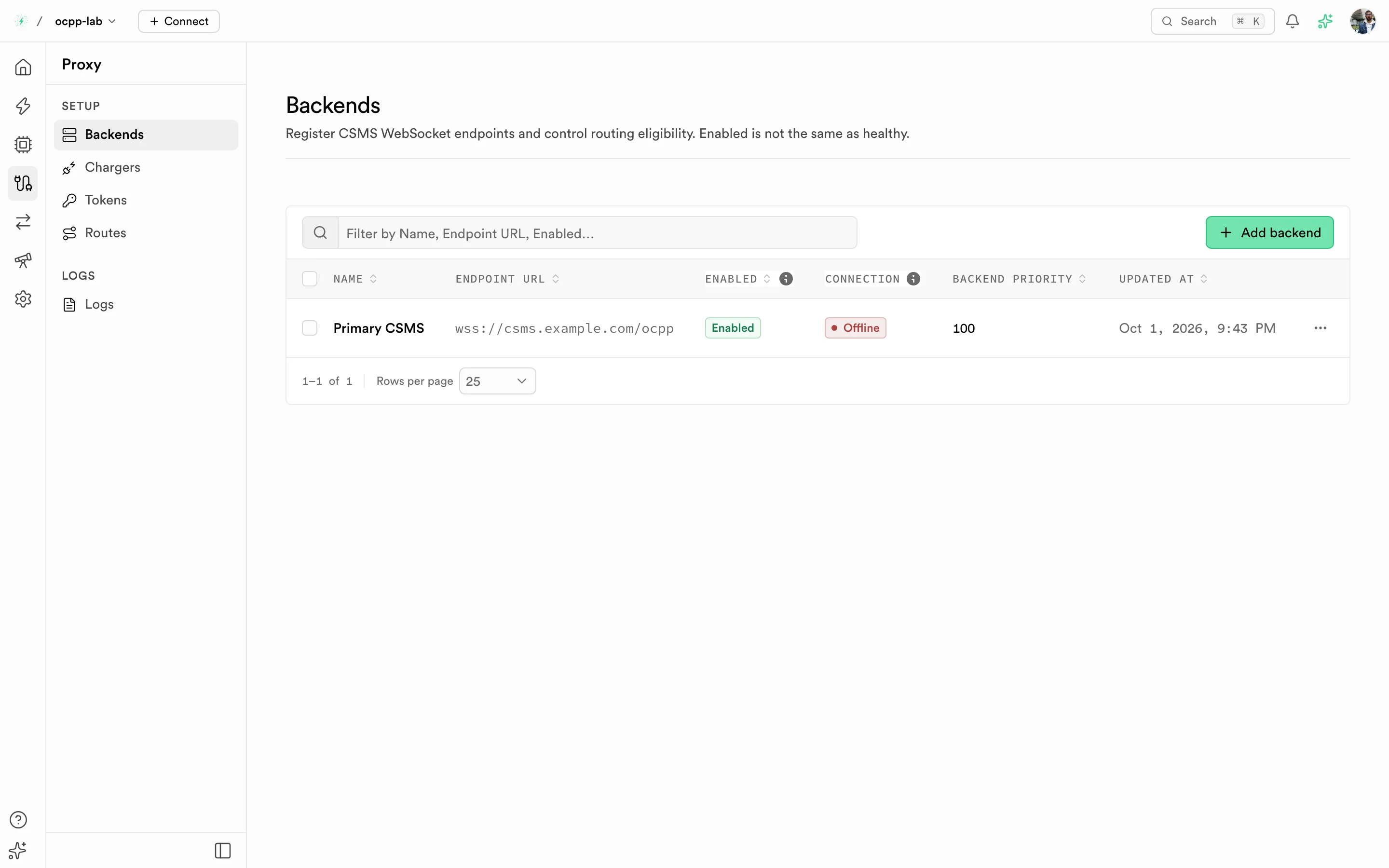
Backends — CSMS WebSocket endpoints with their enabled flag, connection, and priority.
A backend is an upstream CSMS WebSocket endpoint. Select Add backend and set:
| Field | What it does |
|---|---|
| Endpoint URL | The CSMS root WebSocket URL (ws:// or wss://). Use a public host name and keep credentials out of the URL. |
| Backend priority | Order used when a charger has no route of its own. |
| Routing eligibility | On by default. Turn it off to register a backend without sending it traffic. |
| Handshake headers | Optional headers sent on the WebSocket handshake, for example authentication your CSMS expects. |
Enabled means the backend may receive traffic. It does not mean the backend is healthy: check Connection, the Chargers column (chargers with an open session to that backend), and the Backend log.
Chargers
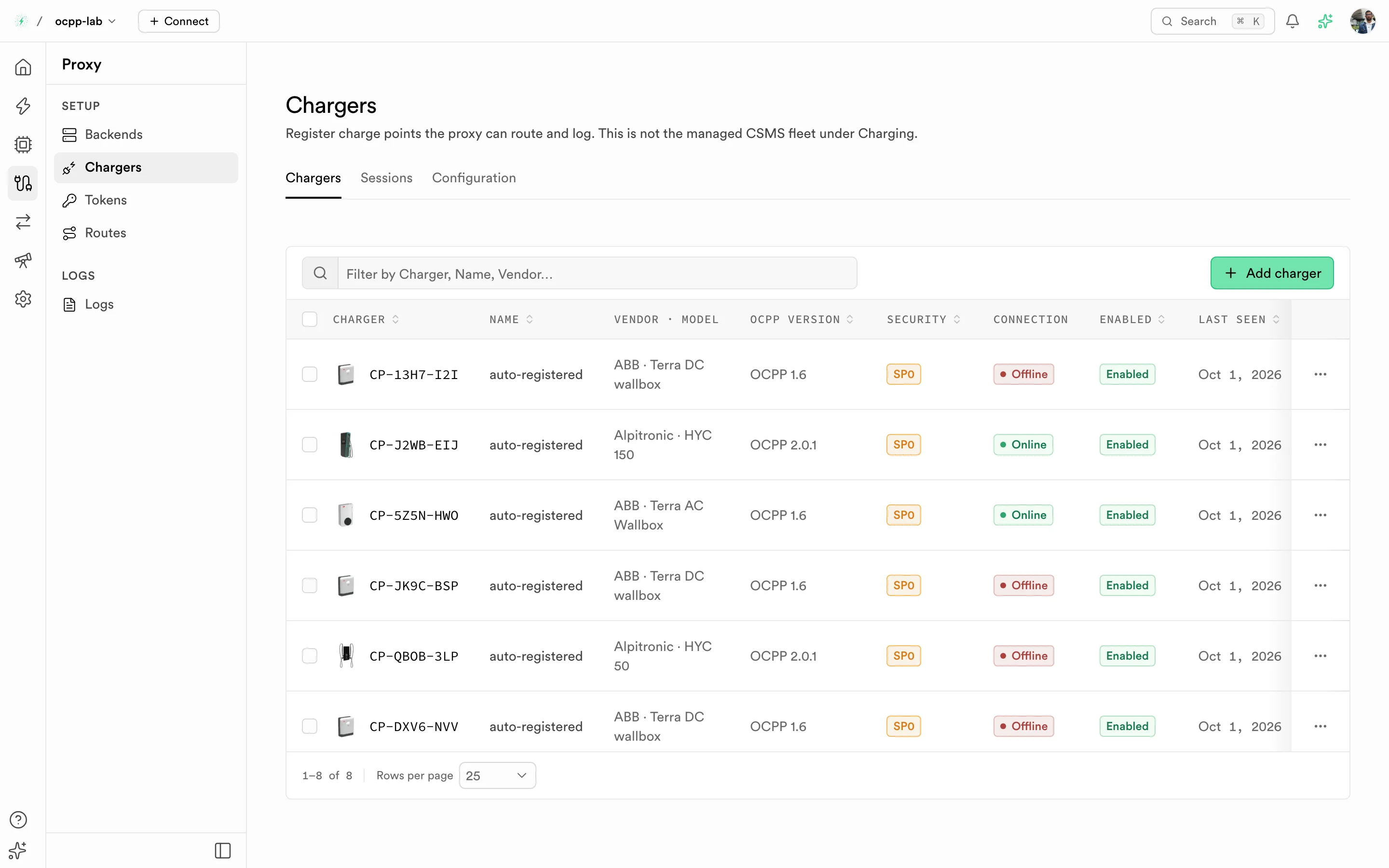
Chargers — charge points on the proxy path with their model, OCPP version, security profile, connection, and last seen time.
Chargers lists the charge points the proxy can route and log. This is not the managed fleet under Charging management. A charge point that connects is registered automatically (Auto-registered). You can also select Add charger.
Select one or more chargers to Enable, Disable, Assign profile, Export selected, or delete them in one step.
The page has four tabs:
| Tab | What it shows |
|---|---|
| Chargers | The inventory, with profile, OCPP version, Security profile (for example SP0, SP1), connection, enabled flag, and last seen. |
| Profiles | Named groups of chargers with their charger and connected counts. Use a profile for bulk changes. Deleting a profile keeps its chargers. |
| Sessions | Live and past charger-to-proxy WebSocket sessions. Use it to confirm a charge point is connected to OCPPLab. |
| Configuration | Read-only OCPP configuration keys for each proxy charger. Write-only keys show Write-only instead of a value. |
Select a charger to open its detail sheet, which has its own Sessions tab.
Tokens
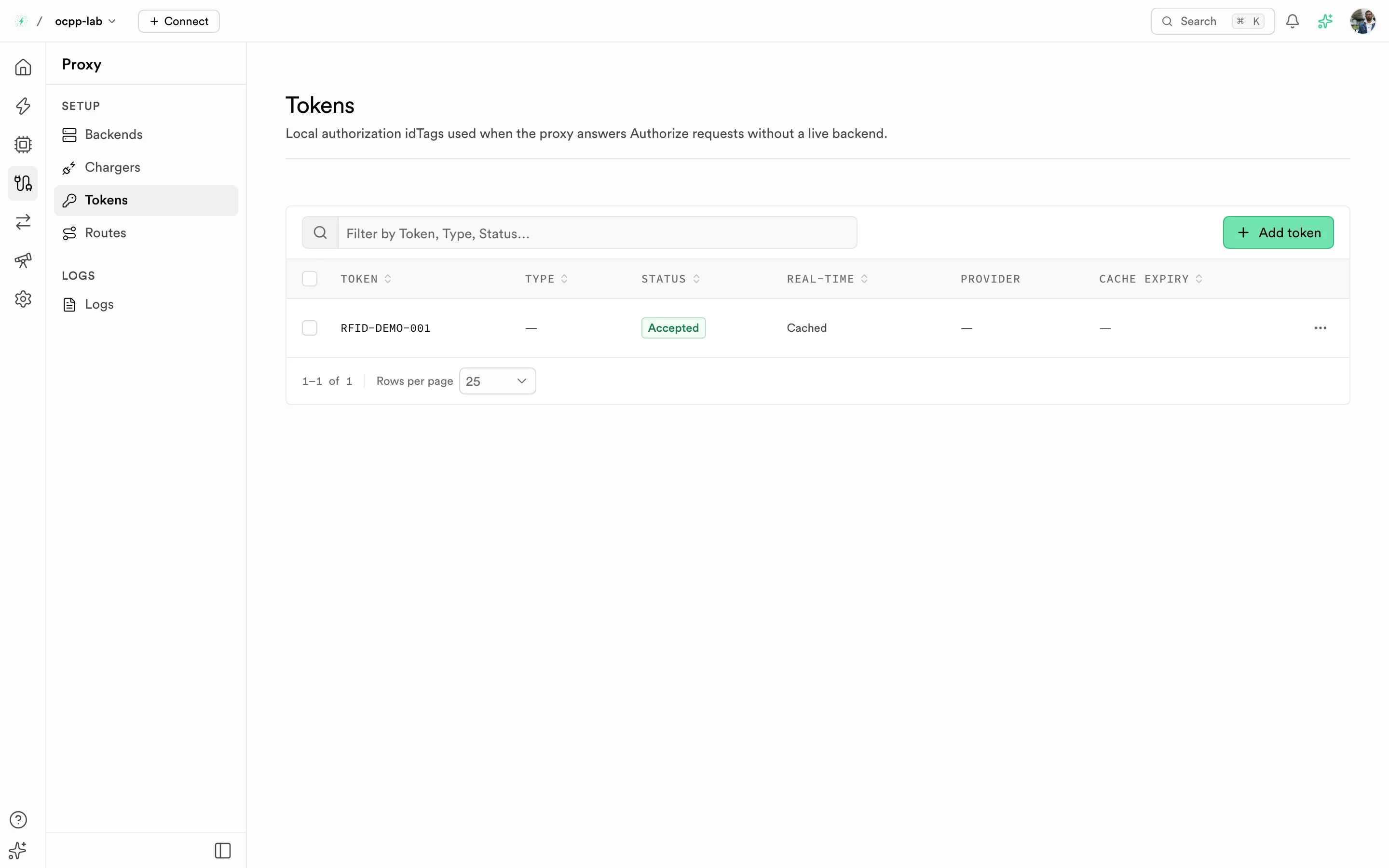
Tokens — local idTags with type, status, real-time flag, provider, and cache expiry.
Tokens holds local authorization idTags. The proxy uses them to answer Authorize requests when no live backend is available. Select Add token and set the token, its type, and its status. Accepted tokens authorize; Blocked, Invalid, Expired, and ConcurrentTx do not.
Routes
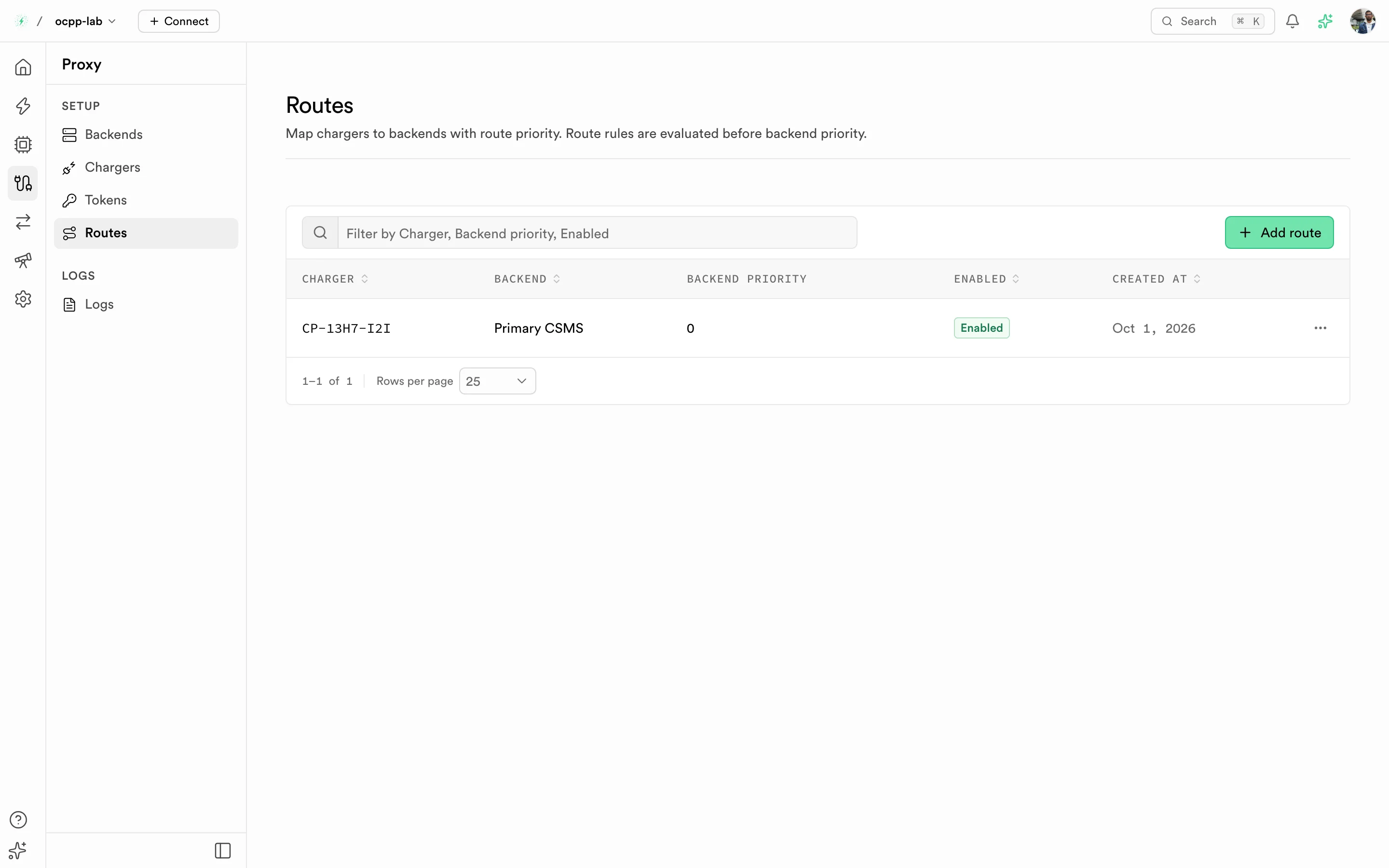
Routes — charger-to-backend mappings with backend priority and enabled flag.
A route maps a charger to a backend. Select Add route, pick the charger and one or more backends, and set each backend's priority. Route rules are evaluated before backend priority. Turn a route off to stop it without deleting it.
Logs
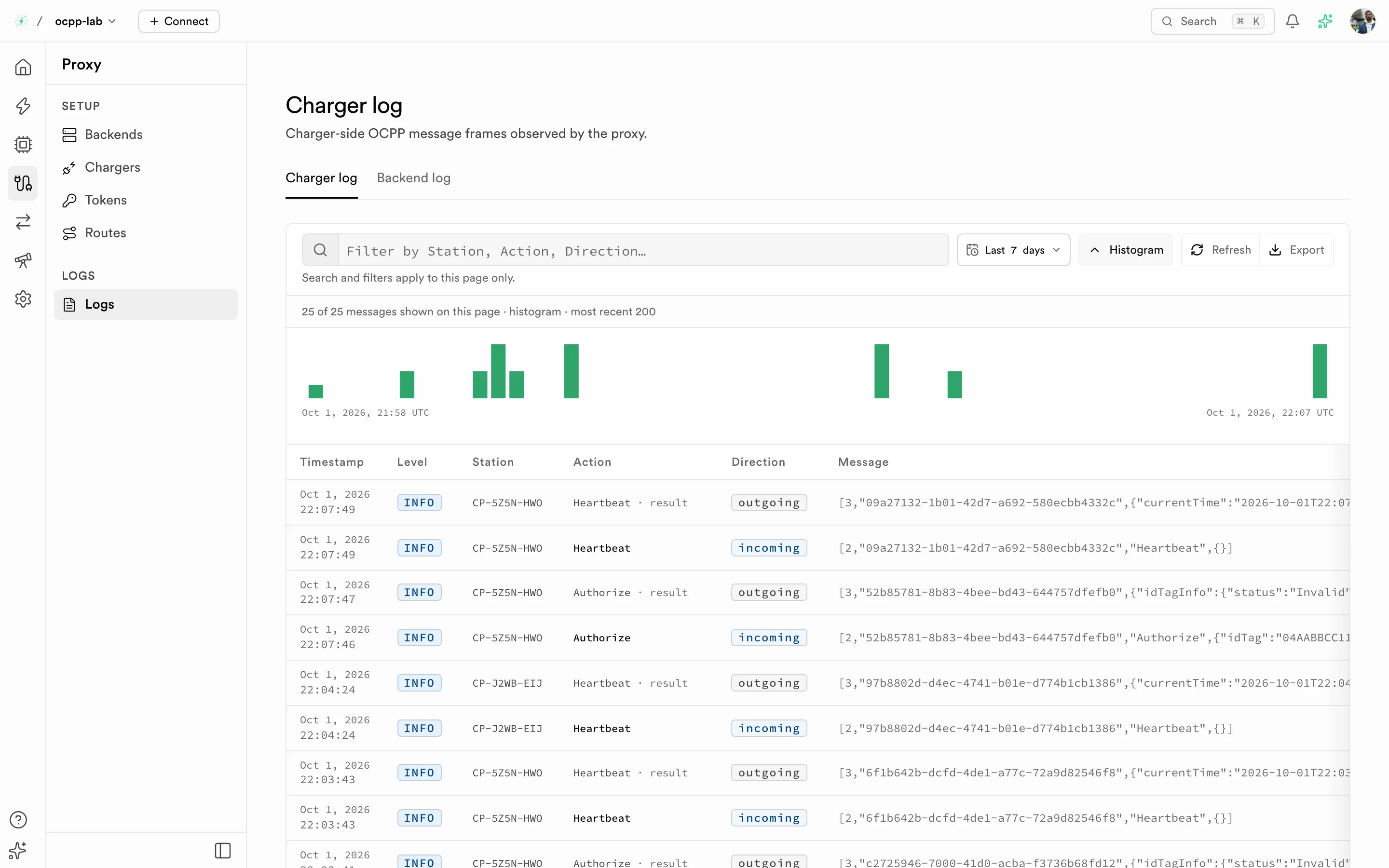
Charger log — charger-side OCPP frames seen by the proxy, with a histogram and times in UTC.
| Tab | What it shows |
|---|---|
| Charger log | Frames between the charge points and the proxy. |
| Backend log | Frames between the proxy and each CSMS backend. |
| Proxy audit | Who changed backends, chargers, routes, tokens, and profiles, and when. |
Logs are paginated on the server. Search and filters apply to the page you are on. Pick a wider time range in the range menu to see older traffic, and select a row for the full frame. Turn on Live in the Charger log to refresh the first page every 5 seconds.
Proxy lists no longer include an Export CSV action. The Chargers selection toolbar retains Export selected for selected chargers.
Set up the proxy
- Copy the connect URL from the page header and point the charge points at it. See Connect a charger.
- Add a Backend for each CSMS.
- Confirm the charge points appear under Chargers, then add Routes.
- Watch Overview and Chargers → Sessions, then the Charger log and Backend log when something fails.