OCPPLab product
How the OCPPLab Dashboard is organized, which guide covers each area, and how organizations, webhooks, and the architecture fit together.
OCPPLab is the multi-tenant product behind the Dashboard: the console where you manage charge points, lab chargers, proxy routing, OCPI roaming, observability, and your organization. Wire-level protocol details live under OCPP and OCPI.
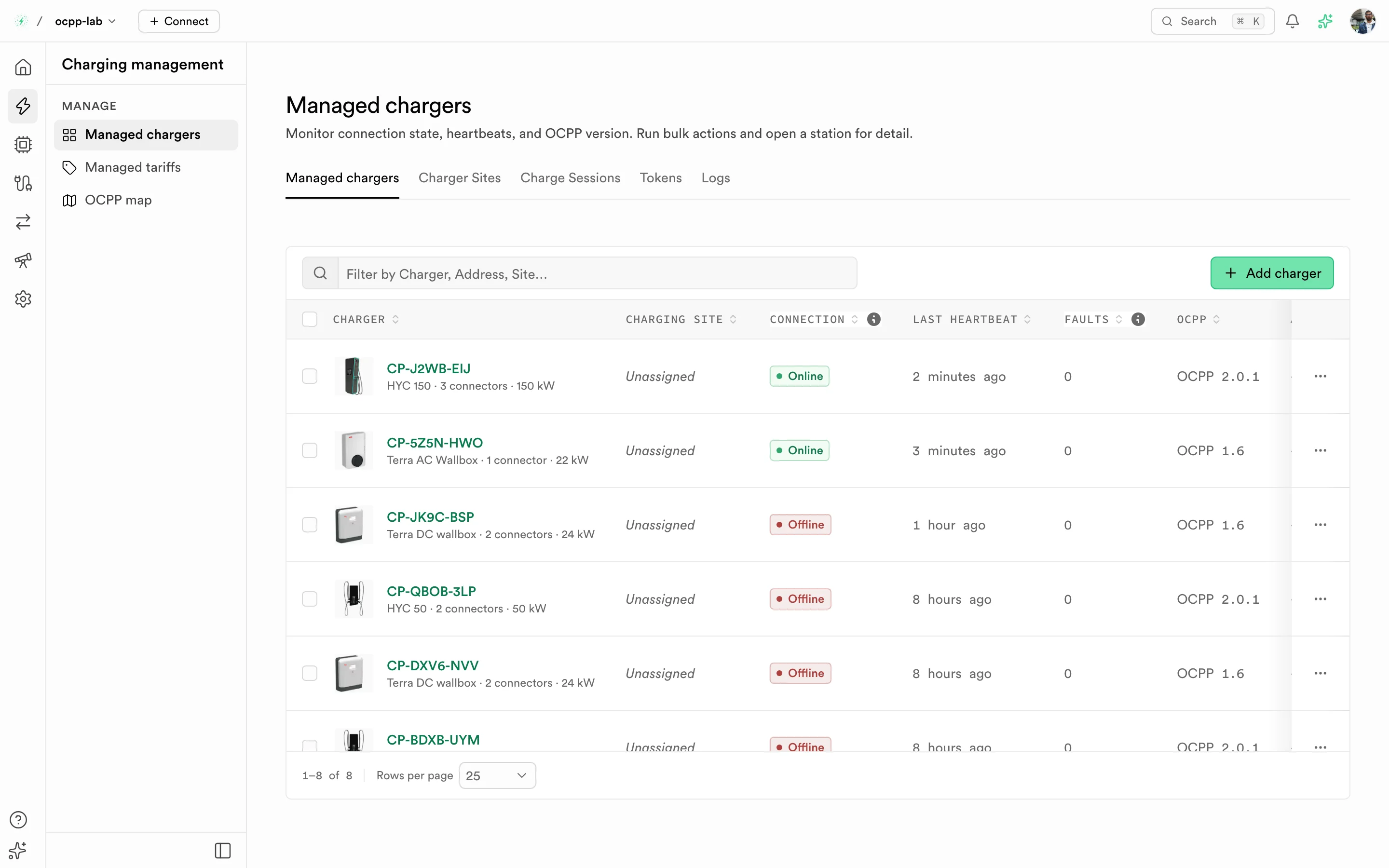
The Dashboard — pick an area on the left rail, then a page in its sidebar.
Find your way around
The left rail has one icon per area. Each area opens a sidebar of pages, and each page has a guide:
| Area | Pages | Guide |
|---|---|---|
| Home | Fleet chat | Fleet chat |
| Charging management | Managed chargers (with Locations, Charge Sessions, Tokens, and Logs tabs), Managed tariffs, OCPP map | Managed chargers, Create a charger |
| Virtual charger | Lab chargers, Charger sites, Logs, Workflows, Playground | Virtual charger |
| Proxy | Backends, Chargers, Tokens, Routes, Logs | Proxy, Multi-backend routing |
| Roaming | Roaming partners, OCPI map, Catalog, Sync jobs, OCPI logs, Commands, Testing | Roaming, Roaming testing |
| Observability | Observability, Callbacks, Webhook logs | Observability, Webhooks |
| Settings | Your preferences, Security, General, Business details, Teams, Billing, Usage | Settings |
New to OCPPLab? Start with the Quickstart, then Create a charger or deploy a virtual charger if you have no hardware.
Organizations
Everything you create belongs to an organization: chargers, lab chargers, proxy routes, roaming partners, webhook destinations, and usage. Members see only the organizations they belong to, and one organization never reads another's data. Switch organizations from the name in the top bar; manage members in Teams.
Reference
| Page | What it covers |
|---|---|
| Architecture | Gateway, data plane, and Dashboard, and how they connect |
| Multi-backend routing | Run two CSMS backends side by side and cut over without touching chargers |
| Webhooks | Events, request format, and endpoint checklist |