Webhooks
Send OCPP and OCPI events from OCPPLab to your own billing, CRM, or automation endpoints: events, request format, and setup.
A webhook destination sends one HTTP request to your endpoint each time a chosen event happens — for example a charger finishing a transaction or a roaming partner sending a CDR. You manage destinations in the Dashboard under Observability → Callbacks (/dashboard/webhooks).
Never paste live OCPP passwords, OCPI tokens, or client certificates into tickets, chat, or public issues. Rotate anything that may have been exposed and use Dashboard or your secret store for operational credentials.
Delivery is not live yet
You can create and manage destinations today, but the platform does not send webhook requests yet: the event triggers and the dispatcher are still being enabled. Until then Webhook logs stays empty for real traffic. This page describes the request your endpoint will receive once delivery is on.
Events
Each destination listens to exactly one event. Create one destination per event you need.
| Source | Event | Fires when |
|---|---|---|
| OCPP · chargers | boot_notification | A charger sends BootNotification |
| OCPP · chargers | heartbeat | A charger sends Heartbeat |
| OCPP · chargers | status_notification | A connector changes status |
| OCPP · chargers | authorize | A charger asks to authorize an idTag |
| OCPP · chargers | start_transaction | A charging transaction starts |
| OCPP · chargers | stop_transaction | A charging transaction stops |
| OCPP · chargers | meter_values | A charger reports meter values |
| OCPI · roaming | location_created, location_updated, location_removed | A partner adds, changes, or removes a location |
| OCPI · roaming | session_created, session_updated | A roaming session starts or changes |
| OCPI · roaming | cdr_created | A partner sends a charge detail record |
| OCPI · roaming | token_received | A partner sends a token |
Events are scoped to your organization: a destination never receives another organization's events.
Create a destination
Prepare your endpoint
Expose an HTTPS URL that accepts the request and returns
2xxbefore doing any slow work. Requests time out after the destination's timeout (1,000–10,000 ms, default 5,000 ms).Add the destination
Open Observability → Callbacks and select Add destination. Fill in:
- Name — no spaces, for example
billing_stop_transaction - Event — one event from the table above
- Method and URL —
POST(sends a JSON body) orGET; the URL must start withhttp://orhttps:// - Timeout — 1,000–10,000 ms
- HTTP headers and HTTP parameters — optional, sent with every request
- Name — no spaces, for example
Authenticate the request
OCPPLab does not sign webhook requests. Add a secret header (for example
Authorization: Bearer <random value>) under HTTP headers, and reject requests on your side that do not carry it.webhook-handler.ts// Check the shared secret you set as a destination header, then respond fast. export async function POST(req: Request) { if (req.headers.get("authorization") !== `Bearer ${process.env.OCPPLAB_WEBHOOK_SECRET}`) { return new Response("unauthorized", { status: 401 }) } const event = await req.json() await queue.enqueue(event) // process after responding return new Response(null, { status: 204 }) }Check the first delivery
Trigger the event (for example start and stop a session on a virtual charger), then open Webhook logs and confirm a
2xxrow for your URL.
Result: the destination is Active in the Callbacks list, and its error rate reflects real deliveries.
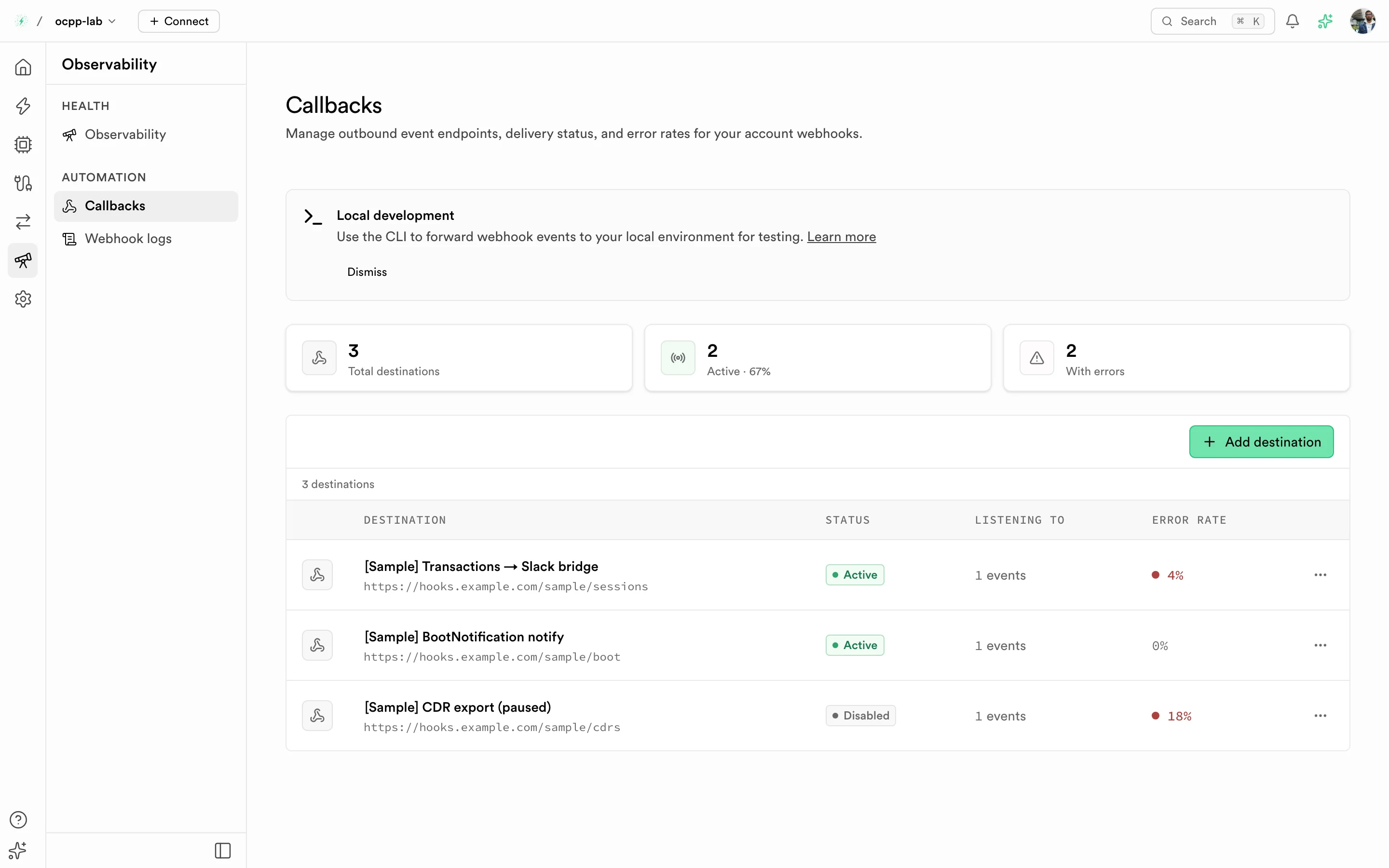
Callbacks — enable, disable, edit, or delete a destination from its row menu. View logs opens its deliveries.
Request format
POST requests carry Content-Type: application/json unless you set another content type. The body is the event payload from the producer. When an event has no payload, OCPPLab sends this envelope:
{
"type": "ev_cloud.webhook.event",
"event_type": "stop_transaction",
"table": null,
"op": null,
"subscription_id": 42,
"organization_id": "4b0c3c9e-…",
"sent_at": "2026-10-01T16:23:05.000Z"
}GET requests send no body; use HTTP parameters to pass values in the query string.
Delivery behavior
- One attempt per event. A failed or timed-out delivery is recorded but not retried. Make your endpoint available, and reconcile from the Dashboard or API if you miss events.
- Logged both ways. Every attempt appears in Webhook logs (
/dashboard/webhooks/logs) with its HTTP status, duration, and error, such asTimed out after 5000msornetwork_error. - Error rate. The Callbacks list shows each destination's error rate over its deliveries, or
—when it has none yet.
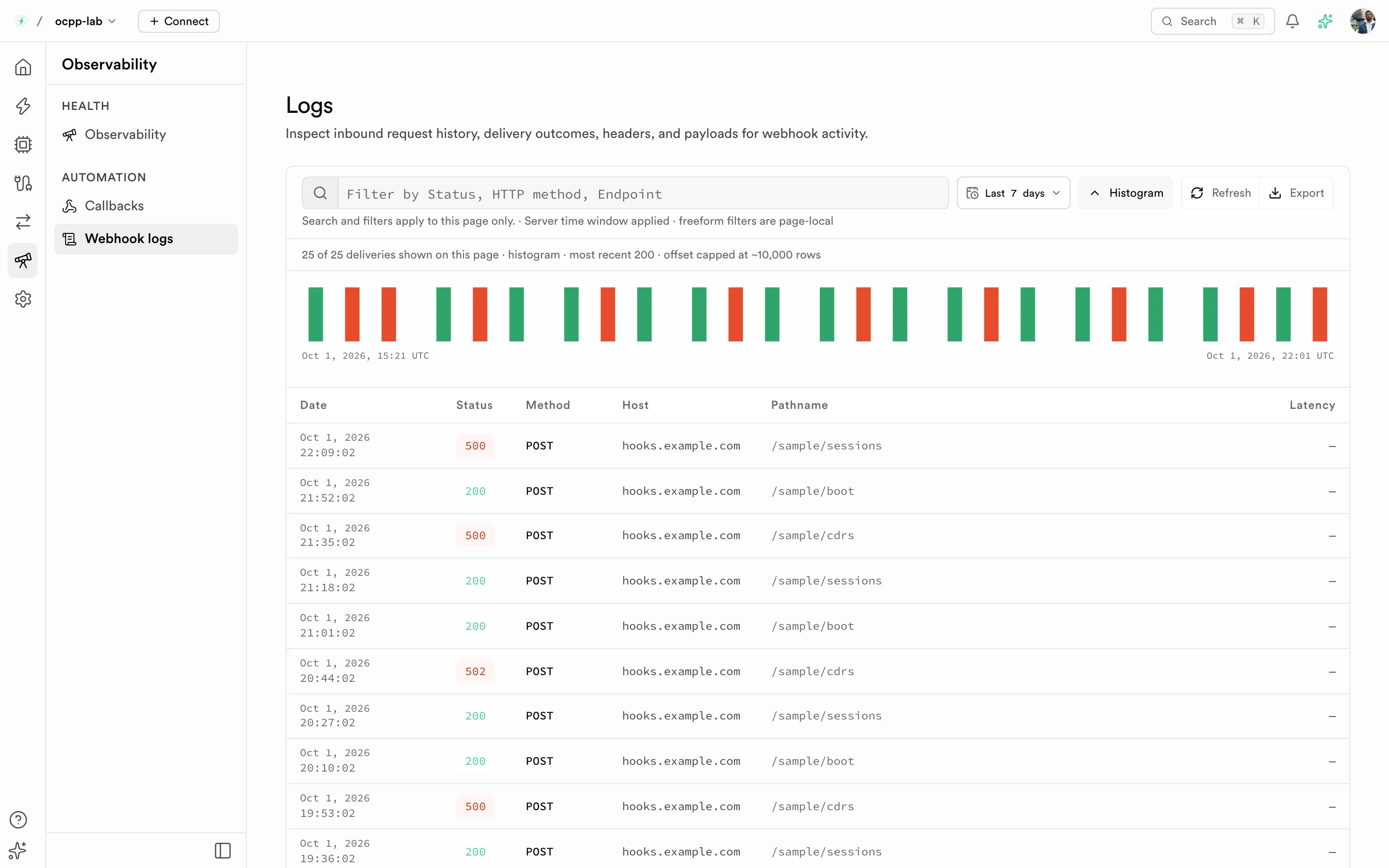
Webhook logs — red bars and 5xx rows are failed deliveries.
Troubleshooting
| Symptom | Check |
|---|---|
| No rows in Webhook logs | The destination is Active and listens to the event you triggered. Widen the log time range. |
| Destination shows "This webhook isn't receiving events" | It was created with an older table filter. Pick an event and save. |
Timed out after …ms | Respond before the timeout; move slow work to a queue. |
401 or 403 from your endpoint | The secret header on the destination matches what your endpoint expects. |
Related
- Observability — Callbacks and Webhook logs in the Dashboard
- Architecture — how events leave the data plane