Charger sites
Group managed chargers by location, set the address and time zone, and publish sites for roaming.
Charger Sites lists the locations where your charge points are installed. A site gives chargers an address and coordinates for the OCPP map, a time zone for reporting, and, when published, a location roaming partners can see.
Path: /dashboard/chargers?tab=sites
Sidebar: Charging management → Managed chargers → Charger Sites tab
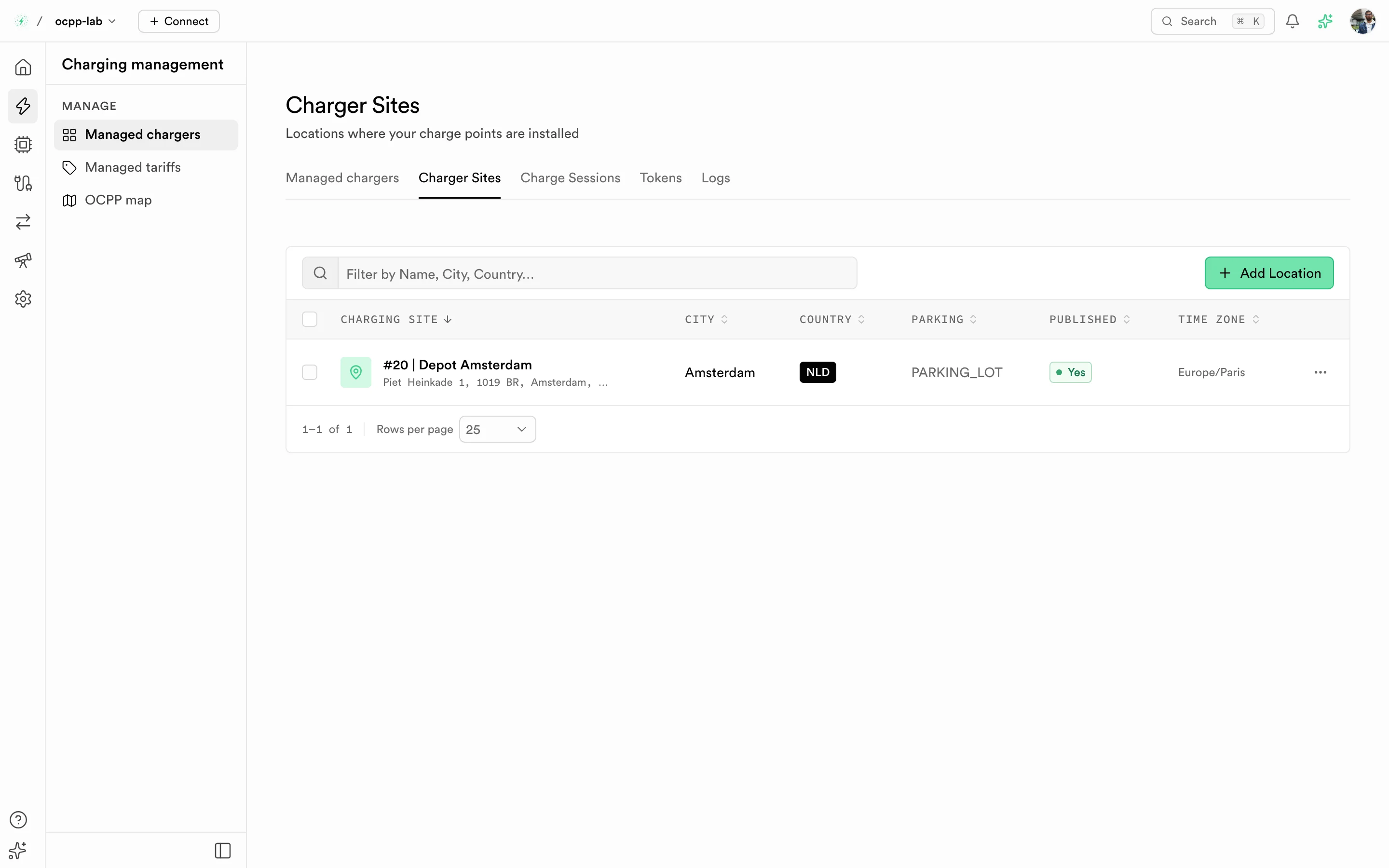
Charger Sites. Each row is a site with its city, country, parking type, published flag, and time zone.
Lab chargers use their own sites under Virtual charger → Charger sites.
Columns
| Column | What it shows |
|---|---|
| Charging site | Site name and street address |
| City and Country | Where the site is |
| Parking | Parking type. — when not set |
| Published | Whether the site is visible to roaming partners and drivers |
| Time zone | Time zone used for the site's reports |
Add a site
-
Select Add Location. The Add Charging Site sheet opens.
-
Under Site details, fill the address:
Field Required Format Site name Yes For example Main office parkingStreet address Yes Up to 255 characters City Yes Up to 100 characters Postal code No Country (3-letter code) Yes ISO 3166-1 alpha-3, for example FRACountry code Yes ISO 3166-1 alpha-2, for example FR -
Under Settings, choose the Time zone, an optional Parking type, and whether the site is Published.
-
Optional: pin the site on the map or enter Latitude and Longitude in decimal degrees. Left blank, the coordinates come from the address.
-
Select Add location. The site appears in the list.
To change a site, open its row menu, select Edit, and then Save changes. Select View to open the site with its chargers.
Assign chargers to a site
Pick the site in Location when you create a charger, or edit an existing charger from its detail page. The site then shows in the Charging site column of Managed chargers and on the OCPP map.
Troubleshooting
| Message or symptom | What to do |
|---|---|
| Must be a 3-letter code (e.g. FRA, DEU, USA) | Use the alpha-3 country code |
| Time zone is required | Pick a time zone under Settings |
| The site is missing from the OCPP map | Add coordinates, and assign at least one charger to it |
| Partners do not see the site | Turn on Published |