Charge sessions
Follow OCPP charge sessions across the fleet: state, energy, cost, and the power curve and raw records for one session.
Charge Sessions lists the OCPP transactions your chargers reported, live and finished. Use it to confirm a test charge worked and to explain an energy or billing question.
Path: /dashboard/chargers?tab=sessions (the older /dashboard/charge-sessions link also opens the list)
Sidebar: Charging management → Managed chargers → Charge Sessions tab
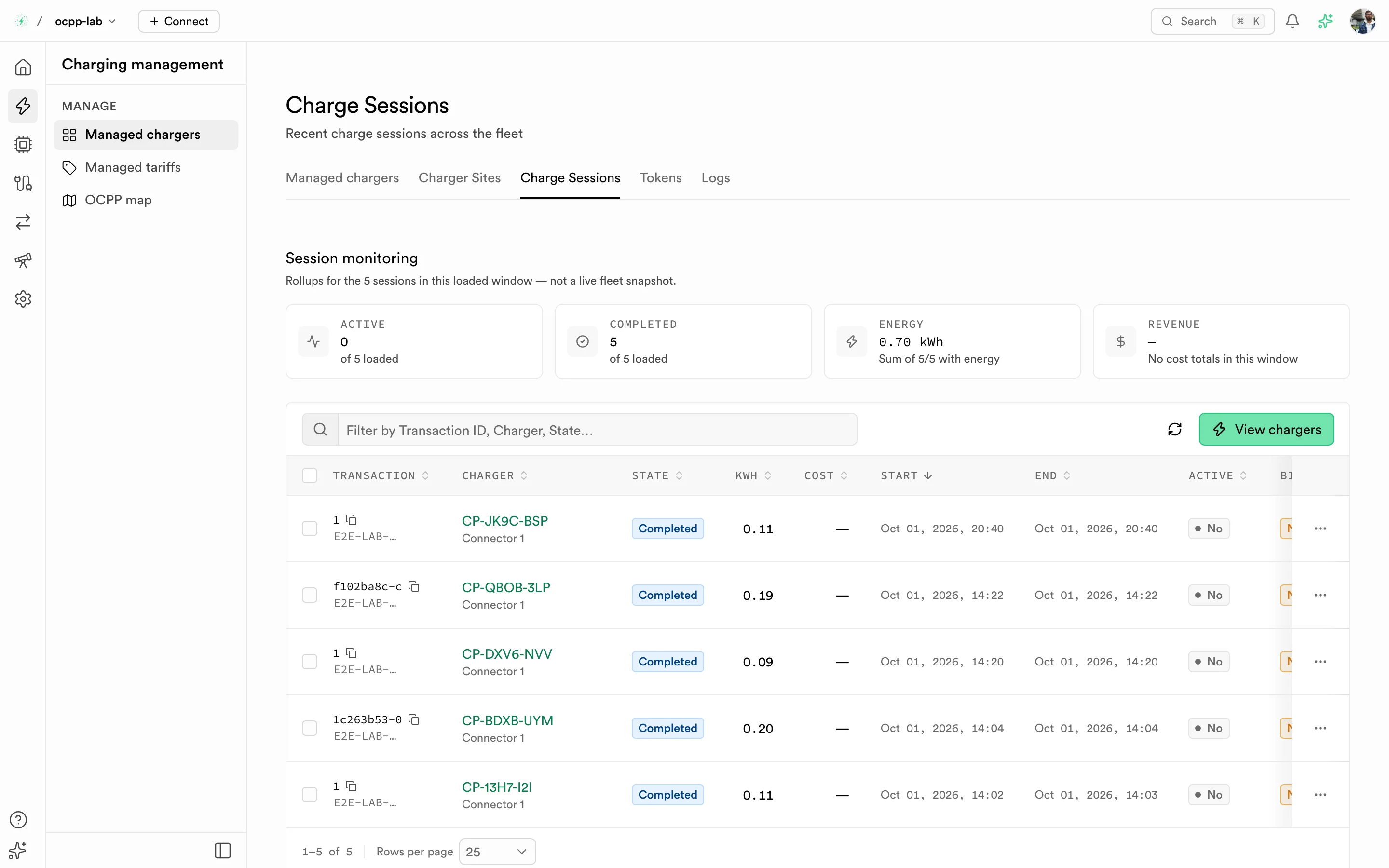
Charge Sessions. The tiles roll up the loaded sessions; the table lists each transaction with its charger, state, energy, and cost.
Before you start
- At least one charger is Online on Managed chargers.
- For RFID tests, the tag exists in Authorizations.
Session monitoring tiles
The tiles summarize the sessions loaded in the table, not the whole fleet history.
| Tile | What it counts |
|---|---|
| Active | Sessions still running |
| Completed | Sessions that ended |
| Energy | Total kWh of the loaded sessions that report energy |
| Revenue | Total cost of the loaded sessions that report a cost. — when none does |
Columns
| Column | What it shows |
|---|---|
| Transaction | Transaction ID and the token that started it |
| Charger | Charge point and connector. Select it to open Charger detail |
| State | For example Charging or Completed |
| kWh | Energy delivered. — while no meter value has arrived |
| Cost | Price when a tariff applied. — when there is no cost |
| Start / End | Session window |
| Active | Whether the session is still running |
Run and check a test session
- Start a charge on an Online charger, with an RFID tag, a remote start, or a virtual charger.
- Open Charge Sessions. The new row appears with State set to a running state and Active set to Yes.
- Stop the charge. The row changes to Completed and End fills in.
- Select the row to open the session detail.
Session detail
The detail opens in a sheet with three tabs. Each tab also has its own URL.
| Tab | Path | What it shows |
|---|---|---|
| Overview | /dashboard/charge-sessions/{id} | Charger, token, timing, energy, and cost breakdown |
| Power profile | /dashboard/charge-sessions/{id}/power | Power over time from the meter values |
| JSON | /dashboard/charge-sessions/{id}/json | The raw session record |
Troubleshooting
| Symptom | What to check |
|---|---|
| No row after a charge | The charger may have rejected the token. Check Authorizations and the Authorize reply in Logs |
kWh stays — | The charger has not sent meter values. Check its MeterValues frames in Logs |
Cost is — | No tariff applies to that charger. See Managed tariffs |
| A session stays Active after unplugging | The charger has not sent the stop event. Check its connection state |
For roaming settlement records (CDRs), see Roaming.