Quick answer: Building an OCPP-compliant CPMS means creating a persistent, bidirectional WebSocket layer, not a REST API. Start with OCPP 1.6 and the core profile—BootNotification, Heartbeat, StatusNotification, Authorize, StartTransaction, StopTransaction, and MeterValues—then add transaction management, smart charging, security profiles, and resilience. Test thoroughly with virtual chargers before adding 2.0.1 support.
Building an OCPP-compliant Charging Station Management System from the ground up is one of the more demanding backend engineering projects in the EV charging space. You are not just standing up a REST API. You are building a persistent, bidirectional communication layer that must handle unreliable network conditions, real-time state management across hundreds or thousands of physical devices, and a protocol specification that spans hundreds of pages. This guide walks you through the entire process, step by step, so you know exactly what to build and in what order.
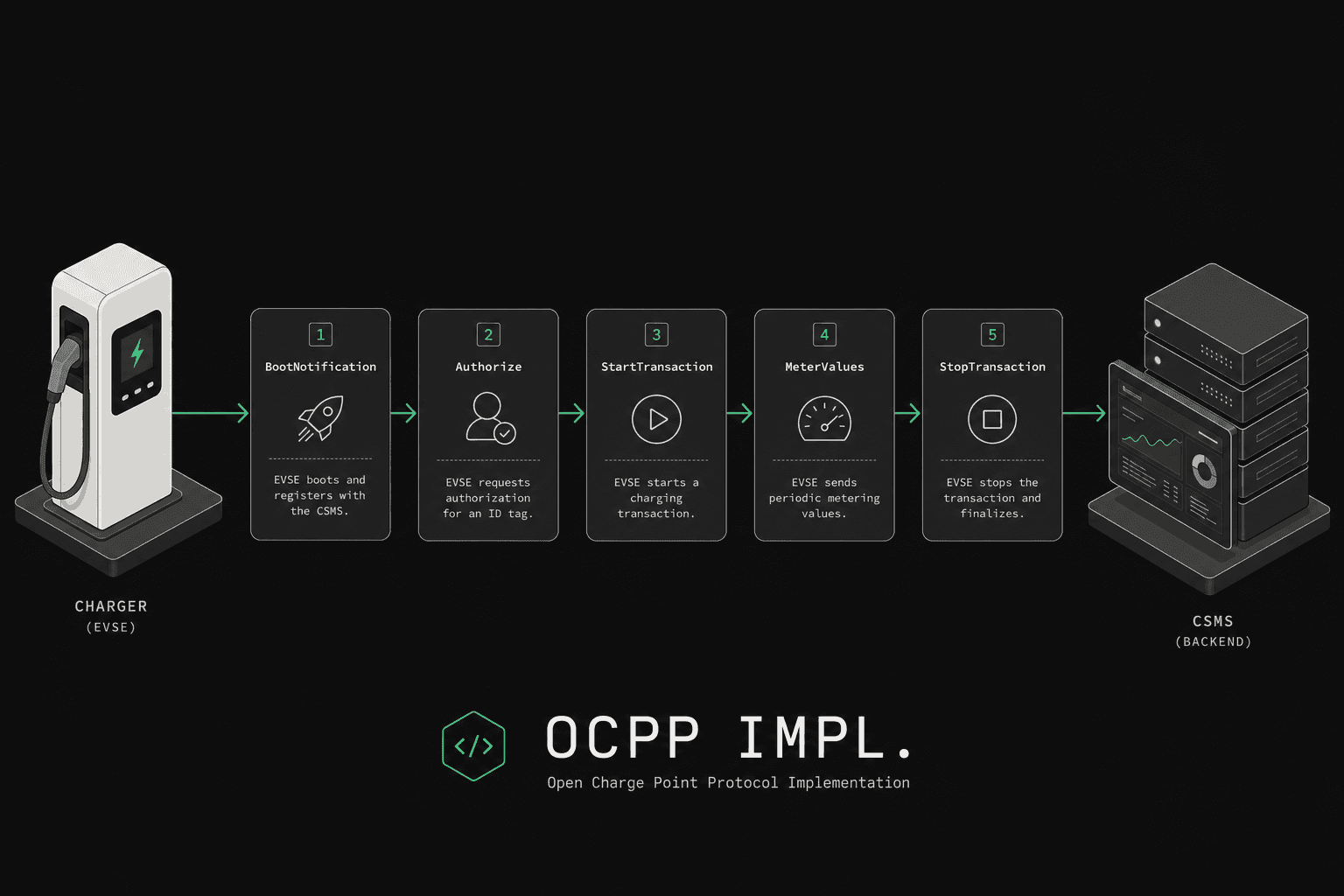
Before you write a single line of code, there are two decisions that shape everything downstream. First, which OCPP version will you target? OCPP 1.6 is still the most widely deployed version and the one most charger manufacturers support today. OCPP 2.0.1 is the modern standard with significantly better security, device management, and smart charging capabilities, but hardware support is still catching up. If you are building a commercial product, you almost certainly need to support 1.6 today and 2.0.1 as your forward path. Second, which messages do you implement first? You do not need to support the entire specification on day one. Start with the core profile: BootNotification, Heartbeat, StatusNotification, Authorize, StartTransaction, StopTransaction, and MeterValues. That set alone gets a charger connected, authorized, and billing transactions.
For hands-on validation strategy, pair this guide with OCPP 1.6 testing and OCPP 2.0.1 testing.
Prerequisites
Before you begin implementation, make sure you have these components ready.
A WebSocket library is the foundation. OCPP communicates over WebSockets, not HTTP. Choose a library in your language that supports both ws:// and wss:// (TLS-secured) connections, handles ping/pong frames natively, and gives you control over subprotocol negotiation. In Node.js, the ws library is the standard choice. In Python, websockets is the go-to. In Go, gorilla/websocket or nhooyr.io/websocket both work well.
A JSON schema validator saves you enormous amounts of defensive coding. The Open Charge Alliance publishes JSON schemas for every OCPP message in both 1.6 and 2.0.1. Validate every incoming message against these schemas before processing it. This catches malformed payloads early and prevents subtle bugs from propagating through your system.
A persistent database is essential for storing charger registrations, transaction records, meter values, and charging profiles. PostgreSQL is a strong default choice. You will need to handle high write throughput for meter values during active charging sessions, so plan your schema accordingly.
TLS certificates are required for any production deployment. OCPP 2.0.1 mandates TLS for its higher security profiles, and even with 1.6, you should never run unencrypted WebSocket connections in production. Have your certificate chain, private key, and CA configuration ready.
A solid understanding of the OCPP protocol itself is obviously necessary. Read the official OCPP specification document for your target version at least once end to end before starting implementation.
Step 1: How Do You Set Up the WebSocket Server?
Your OCPP WebSocket server is the entry point for every charger in your network. When a charge point boots up or reconnects, it initiates a WebSocket connection to a URL that typically follows the pattern ws://your-CPMS.com/ocpp/{chargePointId}. That trailing path segment is how you identify which charger is connecting.
The first critical detail is subprotocol negotiation. When the charger opens the WebSocket handshake, it sends a Sec-WebSocket-Protocol header listing the OCPP versions it supports, for example ocpp1.6, ocpp2.0.1. Your server must inspect this header and respond with the single protocol version you want to use for that connection. If you support both versions, select the highest version you and the charger both support. If you do not recognize any of the offered protocols, reject the connection.
Each charger connection must be treated as a long-lived, stateful session. Unlike HTTP request-response patterns, a single WebSocket connection stays open for hours, days, or even weeks. Your server needs to track each connection, associate it with the correct charger identity, and handle the lifecycle events: connection opened, message received, connection closed, and connection error.
Plan your connection management carefully. You need a registry or map that associates charger identifiers with their active WebSocket connections. This registry is how your CPMS sends commands down to chargers: you look up the charger's connection and write to it. If you are running multiple server instances behind a load balancer, you will need sticky sessions or a shared connection registry to route commands to the correct server instance.
Implement ping/pong handling to detect dead connections. WebSocket ping frames are the heartbeat of the transport layer. If a charger stops responding to pings, the connection is dead and should be cleaned up. Most WebSocket libraries handle this automatically, but verify the behavior in yours.
Step 2: How Do You Handle Core OCPP Messages?
Every OCPP message over WebSocket follows a specific JSON array format. There are three message types. A Call message is a request, structured as [MessageTypeId, UniqueId, Action, Payload] where MessageTypeId is 2. A CallResult is a successful response, structured as [3, UniqueId, Payload]. A CallError is an error response, structured as [4, UniqueId, ErrorCode, ErrorDescription, ErrorDetails].
The UniqueId ties a response back to its originating request. Your implementation needs to track pending requests and match responses by their UniqueId. Build a pending request map with timeout handling. If you send a command to a charger and do not receive a response within 30 seconds (configurable), treat it as a timeout and handle accordingly.
Your message router is the central dispatcher. When a Call message arrives, extract the Action field (for example, "BootNotification", "Heartbeat", "StatusNotification") and dispatch it to the appropriate handler function. This is a straightforward pattern: a map from action names to handler functions. Keep the router clean and ensure every registered action has a corresponding handler.
Validate incoming messages at two levels. First, validate the JSON array structure itself: correct length, correct MessageTypeId, string UniqueId, string Action. Second, validate the Payload against the OCPP JSON schema for that specific action. Return a CallError with a FormationViolation or PropertyConstraintViolation error code for malformed messages.
Step 3: How Does the BootNotification Flow Work?
BootNotification is the first meaningful OCPP message in every charger session. When a charger connects and sends BootNotification, it is announcing itself to your CPMS and providing its identity: vendor name, model, serial number, firmware version, and other metadata.
Your handler needs to do several things. First, identify the charger. Look up the charger in your database by the charge point identifier from the WebSocket URL and optionally cross-reference with the serial number in the BootNotification payload. If this is a new charger you have never seen before, decide whether to auto-register it or reject it. In a production system, you typically require chargers to be pre-provisioned in your database before they can connect.
Second, set the response status. Your BootNotification response includes a status field with three possible values: Accepted, Pending, or Rejected. Accepted means the charger is registered and operational. Pending means the charger should wait and try again, which is useful when you need an operator to manually approve new chargers. Rejected means the charger is not welcome. A rejected charger should disconnect, though it may retry later.
Third, set the heartbeat interval. The response includes an interval field in seconds that tells the charger how often to send Heartbeat messages. A typical value is 300 seconds (5 minutes). This interval is how you control the balance between connection monitoring granularity and network traffic.
Store the BootNotification data in your database along with a timestamp. This is your record of when chargers come online, what firmware they are running, and their hardware configuration.
Step 4: How Do You Manage Transactions?
Transaction handling is where your CPMS earns its keep. This is how charging sessions are started, tracked, and stopped, which directly feeds into billing.
In OCPP 1.6, the flow uses discrete messages. A StartTransaction request arrives when a user initiates charging, containing the connector ID, ID tag (the user's RFID or other credential), meter start value, and timestamp. Your CPMS validates the ID tag (is this user authorized to charge?), creates a transaction record, assigns a transaction ID, and returns that ID in the response. During charging, MeterValues messages stream in with energy consumption data. When the session ends, a StopTransaction request provides the final meter reading, the reason for stopping, and optionally additional meter data. Your CPMS calculates the energy consumed, updates the transaction record, and triggers any billing processes.
In OCPP 2.0.1, this entire flow is consolidated into a single TransactionEvent message with different event types: Started, Updated, and Ended. This is cleaner architecturally but requires you to handle all transaction lifecycle events through one handler with branching logic based on the event type. The 2.0.1 approach also provides richer data including cable plug-in/out events, EV communication setup, and more granular charging state transitions.
Regardless of version, authorization is a critical sub-flow. When a charger requests authorization for an ID tag (via Authorize message or embedded in StartTransaction), your CPMS must quickly look up the tag in your database, check if it is valid and active, and respond. Speed matters here because the user is standing at the charger waiting. An Authorize response should come back in under a second.
Handle meter values carefully. Chargers send periodic meter readings during a session, typically every 30 to 60 seconds. Each MeterValues message can contain multiple measurands: energy active import (kWh consumed), power active import (current power draw), current, voltage, state of charge, and temperature. Store all of these with timestamps. They are essential for billing accuracy, dispute resolution, and analytics.
Step 5: How Do You Handle Status and Heartbeats?
StatusNotification messages tell your backend what state each connector on a charger is in. The key statuses in OCPP 1.6 are Available, Preparing, Charging, SuspendedEVSE, SuspendedEV, Finishing, Reserved, Unavailable, and Faulted. OCPP 2.0.1 StatusNotification is only Available, Occupied, Reserved, Unavailable, or Faulted — charging progress is reported on TransactionEvent, not as a connector status of Charging. Your database should track the current status of every connector and maintain a status history log.
Build a status dashboard early in your development process. Being able to see at a glance which chargers are online, which connectors are available versus charging versus faulted, is essential for operations. The StatusNotification data feeds directly into this.
Heartbeat messages are simpler. They serve two purposes: confirming that the charger is still connected and operational, and synchronizing the charger's clock with your server's time. Your Heartbeat response must include a currentTime field with the current UTC timestamp. Chargers use this to correct clock drift, which matters for accurate timestamps on transaction and meter data.
Monitor heartbeat patterns to detect charger issues. If a charger stops sending heartbeats at the expected interval (the one you set in the BootNotification response), it has likely gone offline. Implement an alert system that flags chargers as offline when they miss two or more consecutive heartbeat windows.
Step 6: Smart Charging
Smart charging is where OCPP goes from a simple communication protocol to a powerful grid management tool. The core mechanism is SetChargingProfile, a command your CPMS sends down to chargers to control how much power they can draw.
A charging profile contains a stack level (priority, where higher numbers override lower), a profile purpose, and a charging schedule that defines power or current limits over time. OCPP 1.6 purposes are ChargePointMaxProfile, TxDefaultProfile, and TxProfile. OCPP 2.0.1 purposes are ChargingStationMaxProfile, ChargingStationExternalConstraints, TxDefaultProfile, and TxProfile — do not send ChargePointMaxProfile on a 2.0.1 session.
The scheduling system is flexible. You can set a single flat limit ("never exceed 32A") or create time-based schedules ("22kW from midnight to 6am, 7kW from 6am to midnight") or even recurring schedules for weekly patterns. The charger evaluates all active profiles at each stack level and applies the most restrictive effective limit.
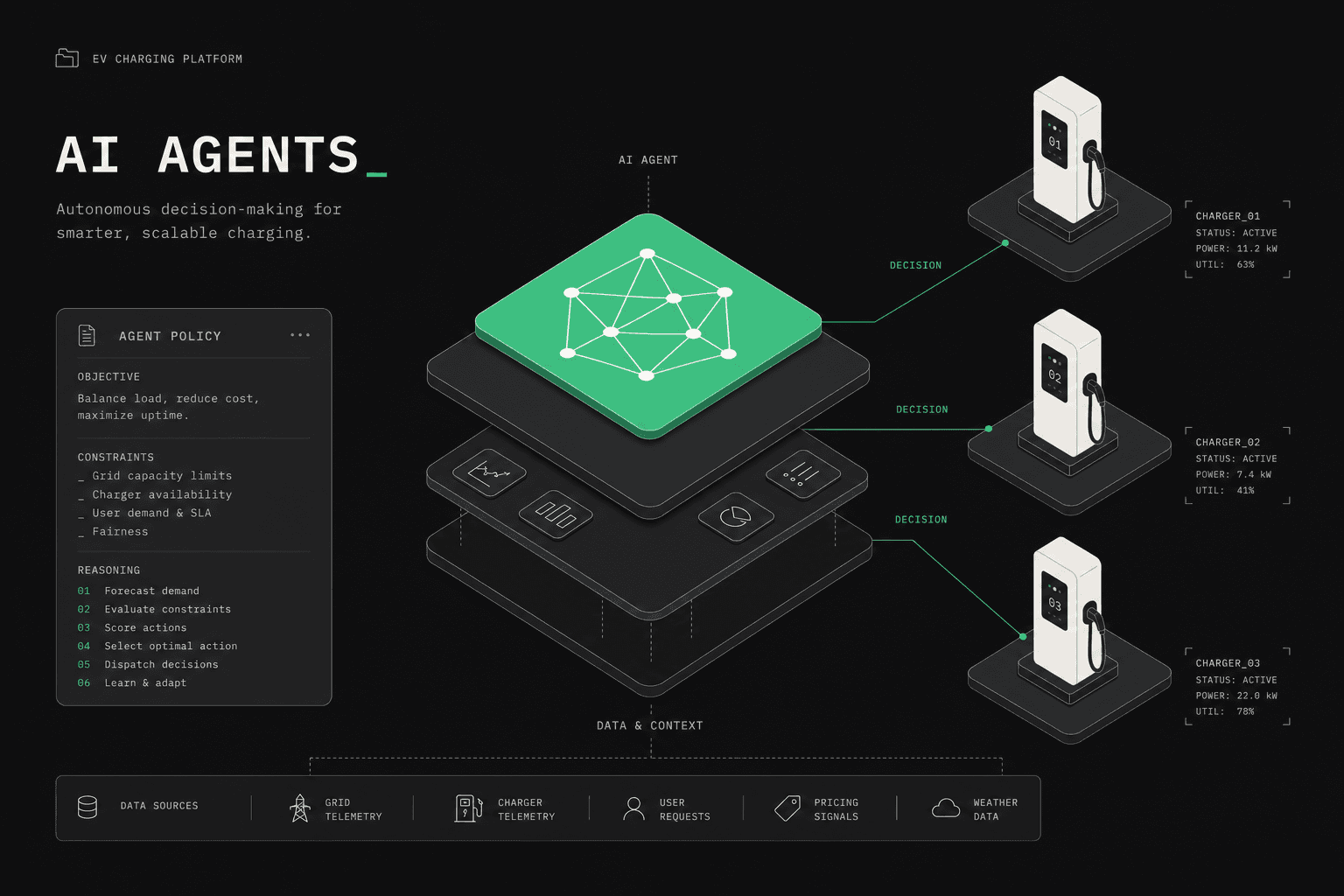
Implement smart charging when you need load management. If you have multiple chargers sharing a limited power supply, your CPMS can dynamically distribute available capacity by updating charging profiles in real time based on total site consumption, grid signals, energy prices, or other inputs.
This is one of the more complex areas of OCPP. Start with simple scenarios like setting a max power limit per charger and work up to dynamic load balancing across a site.
Step 7: How Should You Handle Errors and Resilience?
Real-world charger deployments are harsh on your assumptions about network reliability. Chargers operate on cellular connections that drop, WiFi that fluctuates, and networks that go down entirely. Your CPMS must be resilient to all of it.
Handle disconnects gracefully. When a WebSocket connection drops, clean up the connection from your registry, mark the charger as potentially offline (do not immediately mark it offline; give it time to reconnect), and be ready to accept a new connection from the same charger. When the charger reconnects, it will send a new BootNotification and potentially replay transactions that happened while offline.
Offline transactions are a critical edge case. If a charger loses connectivity during an active charging session, it continues charging and queues messages locally. When it reconnects, it sends those queued StartTransaction, MeterValues, and StopTransaction messages with timestamps from when they actually occurred, not when they were sent. Your CPMS must handle these out-of-order, delayed messages correctly, especially for billing accuracy. For a deeper understanding of how to handle OCPP errors systematically, refer to the OCPP error codes reference.
Message timeouts need clear handling. When your CPMS sends a command to a charger and does not get a response, you need a retry strategy. But be careful: some commands are not idempotent. Sending RemoteStartTransaction twice could start two sessions. Design your retry logic per command type.
Implement connection rate limiting. A misconfigured charger could attempt to reconnect hundreds of times per second. Your server must handle this without being overwhelmed. Apply backoff requirements and consider rejecting connections that exceed a threshold.
Step 8: How Do OCPP Security Profiles Work?
OCPP 2.0.1 introduced mandatory formal security profiles that address the glaring security gaps in core 1.6. The same model is available for 1.6 deployments through the optional Security Whitepaper (edition 2 and later) (1.6 uses Profiles 0/1/2/3, while 2.0.1 uses Profiles 1/2/3 — see the comparison below). There are three security profiles in 2.0.1, each building on the previous.
Security Profile 1 uses basic HTTP authentication. The charger sends a username and password during the WebSocket handshake. Simple but better than nothing. The connection itself is not encrypted.
Security Profile 2 adds TLS with a server-side certificate. The charger verifies the CPMS identity via the TLS certificate, and the WebSocket handshake includes basic auth. The connection is encrypted.
Security Profile 3 is mutual TLS (mTLS). Both the CPMS and charger present certificates and verify each other. This is the gold standard for production deployments. It requires certificate management infrastructure: issuing charger certificates, handling renewals, managing revocations.
Implement certificate management if you target Security Profile 3. OCPP 2.0.1 includes messages for installing certificates on chargers (InstallCertificate), signing certificate requests (SignCertificate), and managing the certificate chain. The same messages also exist in OCPP 1.6 via the Security Whitepaper edition 2 extension, so a 1.6 deployment with the whitepaper enabled can use the same operational workflow. You need a certificate authority or integration with one. If you are building a CPMS from scratch, factor security profile support into your architecture decisions from the beginning.
Step 9: How Do You Test Your Implementation?
Testing an OCPP implementation against real physical chargers is necessary but deeply insufficient. Real chargers are expensive, slow to configure, limited to one or two models in your lab, and cannot simulate failure scenarios on demand. You cannot test how your CPMS handles 500 simultaneous connections with three physical chargers.
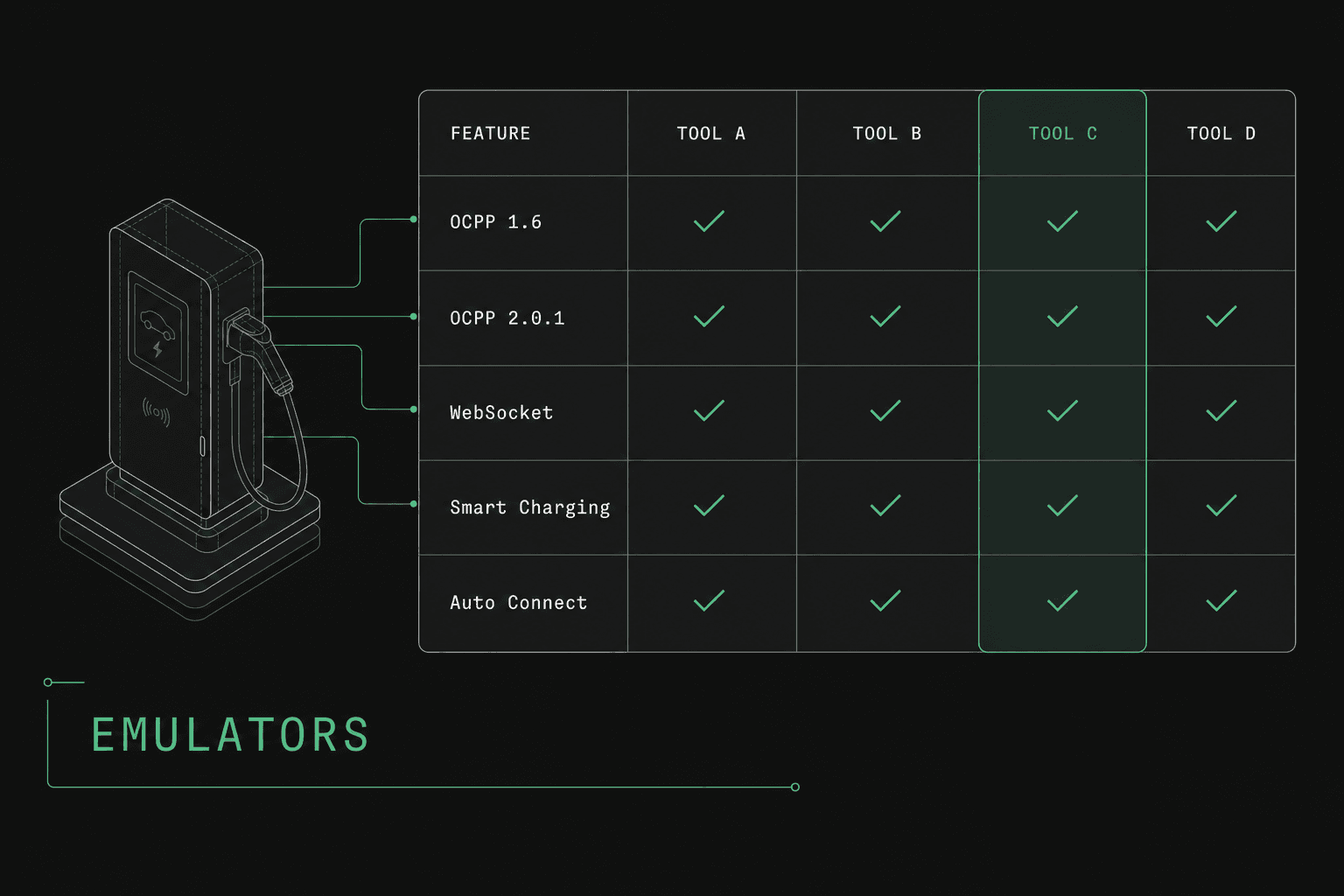
Virtual chargers (also called OCPP simulators or emulators) are the answer. A virtual charger is a software program that behaves exactly like a real charge point from your CPMS's perspective: it opens a WebSocket connection, sends BootNotification, responds to commands, and generates realistic transaction flows. Good virtual chargers let you script specific scenarios, simulate errors, and scale to hundreds of simultaneous connections.
Your testing strategy should cover several layers. Protocol conformance testing: does your CPMS correctly handle every message type it claims to support? Send valid messages and verify correct responses. Send invalid messages and verify correct error handling. Concurrency testing: connect 100 or 1,000 virtual chargers simultaneously. Start transactions on all of them. Watch for race conditions, connection leaks, and database bottlenecks. Failure scenario testing: simulate network drops mid-transaction, send messages out of order, delay responses beyond timeout windows, send malformed payloads.
This is exactly what OCPPLab is built for. Our virtual charger platform lets you spin up configurable OCPP chargers that connect to your CPMS, run through realistic charging scenarios, and stress-test your implementation without needing a single piece of physical hardware. You can test edge cases that would be impossible or impractical to reproduce with real chargers. For a comprehensive approach to testing, see our OCPP testing guide.
Common Implementation Mistakes
After working with dozens of CPMS implementations, these are the five mistakes we see most often.
Mistake 1: Treating OCPP like a REST API. OCPP is bidirectional. Your CPMS is not just a server that receives requests. It also initiates commands to chargers. Many developers start by handling inbound messages perfectly but struggle to build the outbound command pipeline, tracking pending commands, handling responses, and managing timeouts.
Mistake 2: Ignoring clock synchronization. Chargers have notoriously inaccurate internal clocks. If you do not enforce clock sync through Heartbeat responses, your transaction timestamps will drift, causing billing errors and confused audit logs. Always return accurate UTC time in Heartbeat responses and reject transactions with timestamps that deviate too far from server time.
Mistake 3: Not handling offline transactions. If your CPMS assumes messages always arrive in real time and in order, it will produce incorrect billing data when a charger reconnects after an outage and replays queued messages. Design your transaction handling to be timestamp-based, not arrival-order-based.
Mistake 4: Hardcoding for a single charger vendor. The OCPP specification leaves room for interpretation, and different charger manufacturers implement it differently. A field that one vendor always populates might be optional and absent for another. Build defensively: validate but do not assume the presence of optional fields.
Mistake 5: Testing only the happy path. Most implementations work fine when everything goes right. They fall apart when a charger disconnects mid-transaction, sends a duplicate StartTransaction, sends MeterValues for a transaction that has already been stopped, or sends a BootNotification with a serial number that does not match any registered charger. Test every unhappy path you can think of, and then test more.
Frequently Asked Questions
How long does it take to build a basic OCPP-compliant CPMS?
A minimal CPMS that handles BootNotification, Heartbeat, StatusNotification, Authorize, StartTransaction, StopTransaction, and MeterValues for OCPP 1.6 typically takes an experienced backend team a matter of weeks. Adding smart charging, firmware management, OCPP 2.0.1 support, and production hardening can extend that to several months. The protocol itself is not overwhelmingly complex, but the edge cases and operational resilience requirements add significant development time.
Should I implement OCPP 1.6 or 2.0.1 first?
Start with OCPP 1.6. The majority of deployed chargers still speak 1.6, and it is a simpler starting point. Design your architecture to support both versions from the beginning by abstracting the protocol layer, so adding 2.0.1 support later is an extension rather than a rewrite. If you are building for a specific fleet of chargers that only support 2.0.1, then start there.
Can I use OCPP over plain HTTP instead of WebSockets?
OCPP 1.6 had an older SOAP-over-HTTP variant (OCPP 1.6S), but it is effectively deprecated. OCPP 1.6 (the JSON/WebSocket variant) and OCPP 2.0.1 both require WebSockets. The persistent, bidirectional nature of WebSockets is fundamental to how OCPP works, particularly for the CPMS to send commands to chargers without the charger having to poll. See our WebSocket guide for a deep dive.
How do I handle multiple charger vendors with different OCPP quirks?
Build a robust validation and normalization layer between your WebSocket handler and your business logic. Validate incoming messages against the OCPP JSON schemas but be tolerant of optional fields. Log any unexpected or non-standard behavior per vendor. Over time, you may need vendor-specific adapters for known deviations, but start by building to the specification and handling deviations as exceptions rather than designing around them.
What is the best way to test my OCPP implementation without physical chargers?
Use virtual chargers that simulate real OCPP behavior over WebSocket connections. OCPPLab provides configurable virtual chargers for both OCPP 1.6 and 2.0.1 that can test your entire message handling pipeline, simulate failure scenarios, and scale-test your infrastructure. This is dramatically faster, cheaper, and more comprehensive than testing with physical hardware alone.
Do I need to implement every message in the OCPP specification?
No. The OCPP specification defines core, optional, and vendor-specific feature profiles. Start with the core profile messages that are required for basic operation: BootNotification, Heartbeat, StatusNotification, Authorize, StartTransaction, StopTransaction, and MeterValues. Add optional profiles like Smart Charging, Firmware Management, and Remote Trigger as your product requirements demand. Most chargers will function correctly as long as your CPMS supports the core profile.